Pryodon.com Game servers
We are running the Pryodon.com pre-Aquatica beta version of the ARK: Survival Evolved game servers.
Join our Discord server to chat with the people in our community.
Here are our current game settings .ini files. Most rates are 4x.
If you notice that the server is offline you may contact us to let us know what is going on.
The Server Rules are pretty simple:
You are responsible to know these rules. We are here to enjoy a safe and fun community environment. By participating in these servers you are accepting of these rules. Admin decisions are to be respected. We can ban you from using the servers! Don't make us do it!
Have you been naughty in ARK? Then check the BanList to see if your Steam ID is in it.
The Rules!
- NO Bullying, sexism, racism, homophobia, witch hunting, or other hate-based chatters.
- NO NSFW or obscene chat messages. This includes links to such content!
- Political Talk: Keep it respectful
- NO Doxing of information.
- NO Trolling!
- NO SOLICITING!
- DO NOT bury foundations in the ground so that they are mostly hidden from view! If you are caught doing this then you might get banned! If you do this by accident and are unable to remove it then tell an Admin the co-ords!
- DO NOT build within render of another players base or next to resource nodes. It is okay if you block a couple of metal nodes from spawning. If we think you are abusing this, we reserve the right to remove your structures!
- You are not allowed to spam structures all over the map! Spamming is allowed within render of your base.
- Don't make it so that other players spawn inside your base. If you have a fence, make sure people who spawn inside it can get out.
About our game servers
We are running the pre-Aquatica beta version of the game because we hate game crashes. The pre-Aquatica verion is super stable and almost never crashes. The Aquatica version still has a lot of bugs and crashes too much for our liking. We will continue to run the pre-Aquatica version until such time that the Aquatica version of the game is very stable.
These ARK game servers are running on a data center Linux server with an x86_64 AMD EPYC 7702P 64-Core Processor with 512 GB RAM. The Linux server has data center HDD's and no SSD's. The Linux server has super busy HDD's. The HDD that our game servers use is so busy that it takes about 13 minutes just to load the Ragnarok map. Loading all 12 of the maps would take about 2.5 hours. While we fine tune settings, we will only be running the Ragnarok map. Each time we edit the config files we have to restart the game server. Once the settings are figured out, we will launch more maps.
The Linux server only reboots for Linux kernel updates. Before the last Linux server reboot, the server was up for almost an entire year. Barring game server crashes, the game should always be running. All maps will be clustered when we launch them.
Our Maps
Even though the server we are on has a ton of memory, we are only allowed to use a maximum of 64 GiB. Because of this, we will be unable to run all of the maps simultaneously. However, we can run any map players want to play on for a while.
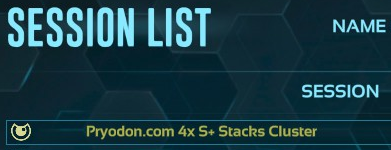
If you enter pry into the search box in the session list, our maps will display eventually unless we are doing server maintenance which will be more frequent for now because we are still testing and setting things up.
We are planning on having these three maps be No Wipe, meaning that we do not plan on wiping these maps. However, abandoned structures will probably be removed at some point.
The Join map links can be used as desktop URL shortcuts to directly connect to these maps, bypassing the sessions list entirely.
- The Island - server info - Join map
- Ragnarok - server info - Join map
- Fjordur - server info - Join map
MODS
If you suggest that we use a mod you like, please make sure that it has a Linux version or it will not run on our Linux machine. We are open to using other mods and changing settings. If you ask, it doesn't guarantee we will do what you want, but we will consider it.
Our mods:
- Alfa Stack 2.5k -90
- Structures Plus (S+) - Documentation
- Awesome SpyGlass!
- Dino Storage v2
- Player Guide
Soul Terminal automation is enabled! You must turn it on to use it. Find the option on the Soul Terminal wheel menu.